
Humanize AI Text Instantly With the Best AI Humanizer
Use our AI text humanizer free to humanize AI text into clear, natural, human-sounding writing in seconds.
Paste your AI generated text here
Loved by Students from Top Universities















What is an AI Humanizer?
An AI humanizer is an advanced tool engineered to mimic real human writing and eliminate the robotic tones typical of generated content. Unlike basic paraphrasers, our humanizer AI refines the natural flow, vocabulary, and rhythm of your text, ensuring it reads exactly like it was written by a person.
AI-generated text tends to follow predictable patterns — uniform rhythm, repetitive phrasing, mechanical structure. Our humanizer rewrites those patterns into varied, natural prose, so your content reads as naturally as if a person wrote it.
Whether you need the best AI humanizer for professional work or a free AI humanizer for quick edits, the result is the same: robotic text is transformed into authentic, human-quality writing.
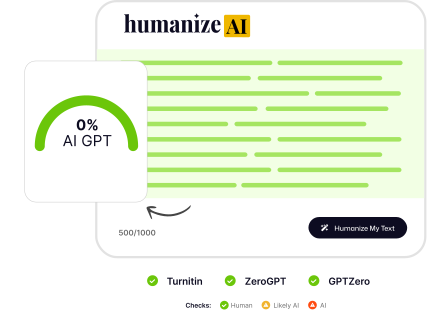
AI Humanizer vs. Paraphrasing Tool: What’s the Difference?
Both rewrite text. A paraphrasing tool swaps words and leaves every sentence the same shape. An AI humanizer rebuilds the sentence — length, rhythm, emphasis — which is what AI detectors actually measure.
Don’t take our word for it. Paste the same paragraph into any paraphraser and into HumanizeAI, then run both through the detector you care about. The difference shows up in the score before you’ve read a sentence.
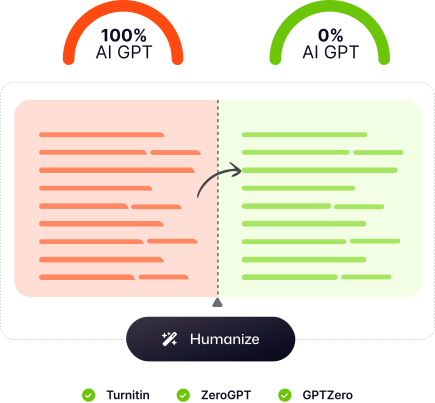
Why Humanize AI Text?
Using an AI Humanizer gives your writing a natural upgrade without requiring hours of editing. Here’s what a good humanizer AI improves:

Natural, human-like tone
AI text can sound too formal or stiff — a humanize AI tool rewrites it to feel more personal and relatable.
Better flow and readability
Sentences become smoother, clearer, and easier to follow.
Our Humanizer works for any writing style
Academic essays, reports, creative writing, professional emails, and more all benefit from refined tone and clarity.
Saves time
Instead of manually rewriting AI text, you get high-quality human-style output in seconds with our free AI humanizer.
Who Humanizes AI Text?
A modern AI humanizer is used by millions of writers who want AI assistance without losing a human voice. Common users include:
Students
Perfect for essays, reflections, discussion responses, literature reviews, and academic writing that needs a natural tone.
Professionals
Improve workplace communication, emails, memos, client reports, proposals, and cover letters.
Content creators & bloggers
Make AI drafts of blog posts, LinkedIn updates, newsletters, and product descriptions sound personal, warm, and engaging.
Researchers & academics
Refine technical or structured AI writing — abstracts, summaries, grant applications — into something clearer and more readable.



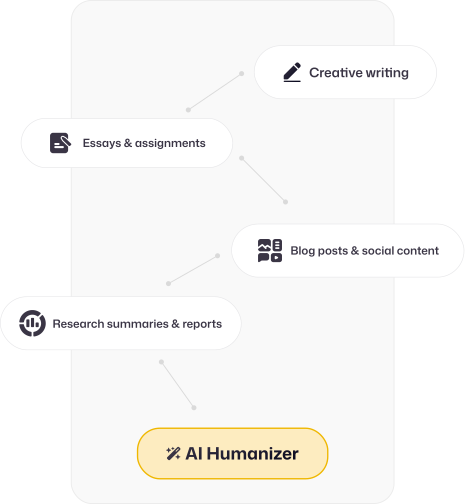
Common Use Cases for an AI Humanizer
An AI humanizer tool is flexible and can improve almost any kind of writing. Popular use cases include:
Essays & assignments
Refine AI-generated drafts into polished academic writing. Argumentative essays, reflective journals, lab reports and discussion-board posts all come out with the varied sentence structure and natural transitions your instructor expects.
Research summaries & reports
Make complex ideas clearer and more digestible. Literature reviews, executive summaries and project reports keep their technical accuracy while losing the stiff, generated tone that makes readers skim.
Blog posts & social content
Improve engagement with authentic, relatable writing. Blog articles, LinkedIn posts, newsletters and product descriptions read like a person wrote them, which is what keeps readers scrolling and search engines ranking.
Creative writing
Add character, emotion, and personality to AI-generated content. Short stories, scripts and personal essays pick up the rhythm and voice that generated drafts usually lack.
How to Humanize AI Text
Three steps, and every rewrite comes back with its own human-written score — so you never have to guess whether it worked.
Paste your text
Click Humanize
See your score & copy
Before anything high-stakes, read it once. Our humanizer keeps your meaning, names and numbers intact, but it’s still an AI — for a graded essay, a client report or anything with your name on it, a two-minute read-through is worth it. Check that every fact, figure and citation is exactly as you wrote it, then submit.
One AI Humanizer. Tuned to Your Level, Purpose and Voice.
Pro unlocks three controls above the editor. Set them once and every rewrite comes out in the register your reader expects.
Humanize AI text at high-school, university or doctorate level
Vocabulary, sentence length and how much a claim gets qualified all change with academic level. Pick yours and the rewrite matches it — a first-year essay doesn’t get rewritten like a dissertation, and a news piece doesn’t read like a term paper. The Journalist setting is tuned for short paragraphs, active voice and a clear lead.
Academic, formal, casual, legal, news or simple
“Natural” means something different in a cover letter, a lab report and a LinkedIn post. The Purpose setting tells Jonas 2.0 which conventions to keep and which AI habits to strip out. Academic keeps your in-text citations intact; Casual loosens the rhythm; Legal leaves defined terms and numbering exactly where they are. General is the safe default when none of these fit.
Choose more human, more readable or balanced
More Human rewrites most aggressively against the signals AI detectors score — sentence variety, predictable word choice, templated structure. More Readable stays closer to your draft and prioritises clarity. Balanced splits the difference. It’s the dial between “make it pass” and “keep it mine.”
The AI Humanizer Built on Millions of Real Writing Samples
Our AI Humanizer is trained on extensive collections of authentic, human-written essays, articles, and everyday writing. Instead of simply rewording text, it reshapes AI-generated content to flow more naturally — with the tone, rhythm, and variation you’d expect from real human writing.
Eliminates stiff, robotic phrasing
Improves clarity, flow, and natural tone
Ideal for essays, reports, emails, and blog posts
Why Does AI-Generated Text Sound Robotic?
AI writing is grammatically clean and still feels distant. The problem isn’t the grammar — it’s the patterns underneath. These four are what readers sense and what AI detectors measure.
Predictable word choice
Language models pick the most likely next word, every time, so nothing surprises you. Detectors call this low perplexity. Human writers make unexpected choices — a specific example, a blunt phrase — and that is a strong human signal.
Uniform sentence rhythm
AI drafts produce sentences of roughly the same length, one after another. People write a long sentence, then a short one. Detectors measure this as burstiness, and a flat score is one of the clearest tells.
Stock phrases and templates
“In today’s fast-paced world.” “It’s important to note that.” Topic sentence, three points, tidy conclusion — then the same shape again. These appear far more often in generated text, so detectors weight them heavily.
Over-hedged, balanced tone
AI presents every side evenly and avoids committing. “Some argue… others contend… it depends.” Human writing takes a position and backs it up. That willingness to commit is something readers and detectors both notice.
How Jonas 2.0 responds. Trained on millions of real essays, articles and posts, it reintroduces all four human traits at once — varied rhythm, concrete word choice, natural structure, a clear voice — rather than patching one signal and leaving the rest for the detector to find. Your meaning, facts and order stay exactly as you wrote them.









Designed to Work With Leading AI Detection Tools
Our AI Humanizer is built to work with leading AI detection tools such as Turni**n, GPTZero, ZeroGPT, Originality.ai, Copyleaks, Winston AI, Stealth Writer, Quillbot, and more — ensuring your writing reads naturally and consistently across different platforms. Because the output is modeled on real human writing patterns, your text maintains a genuine voice, smoother flow, and clearer expression.
Whether your work is checked by a detection system or reviewed by a teacher, editor, or colleague, your writing will feel personal, consistent, and unmistakably human.
How to Humanize Text from ChatGPT, Claude and Gemini
Every AI writes with its own habits. Our AI humanizer is trained to recognise them — not just generic “AI patterns” but the specific tells each model leaves behind — and rewrite around them, for current and previous generations of each model alike.
Humanize ChatGPT text
ChatGPT leans on tidy structure: a short introduction, three evenly weighted paragraphs, a conclusion that begins “In conclusion.” It loves lists and transitions like “Additionally,” and rarely commits to a strong claim. Jonas 2.0 dissolves the template, varies paragraph length and replaces the signpost words with connective tissue people actually write.
Humanize Claude text
Claude writes cautiously. Its drafts hedge (“it’s worth noting”), balance every point with a counterpoint, and keep sentences at a steady medium length — polite, readable, oddly uniform. The rewrite reintroduces a point of view: one argument carries more weight, sentence length varies, and hedges that don’t earn their place are trimmed.
Humanize Gemini text
Gemini tends toward a broad, encyclopaedic tone: lots of context, bullet-friendly structure, summaries that restate what was just said. The rewrite cuts the restatement, folds bullets back into prose where a person would have written prose, and tightens the register to match your Level and Purpose.
Humanize Grok text
Grok writes looser — informal, willing to take a side, occasionally a joke. That sounds human, but the rhythm underneath is still machine-steady: similar sentence lengths, quips landing in the same spot each paragraph. Jonas 2.0 keeps the voice and breaks the pattern.
Humanize text from any AI
Most assistants share the same tells — predictable word choice, uniform rhythm, templated paragraphs — because they’re trained on similar data. Paste text from any of them; the model doesn’t need to know where it came from.
Jonas 2.0 — The World’s Most Advanced Humanizer Model
Jonas 2.0 is the proprietary engine behind our AI humanizer, now trained on an extensive library of millions of handwritten essays, blog posts, books, and research articles. This diverse training enables the model to humanize AI text for any purpose. Whether you are writing a complex research paper or a casual blog, Jonas 2.0 adapts to the style instantly, ensuring your content is natural-sounding and authentic.
Jonas 2.0 powers every paid plan. If you’re on the free plan, you’re using Jonas Lite — a lighter version of the same engine, built for quick edits rather than graded work.
Get Started Now
Free vs. Pro AI Humanizer: Which Should You Choose?
Free is enough for the occasional short passage. Pro makes sense when rewriting is part of your daily work — or when the result will be checked.
Free AI Humanizer
Jonas LiteRuns on our Jonas Lite model. Best for trying the editor, polishing short emails and posts, and seeing whether a natural rewrite fits your style.
- Smoother tone and flow
- 2,000 words a month, no credit card
- 300 words per request · 1,000 with a free account
- May be flagged by stricter detectors
Pro AI Humanizer
Jonas 2.0Runs on Jonas 2.0, our most powerful humanizer model. Best for frequent writing, longer documents, and anything that will be checked — graded essays, published articles, client work.
- Rewrites rhythm, structure and word choice
- Built to pass Turni**n, GPTZero, Originality.ai
- Level, Purpose and Human Level controls
- Full essays in one request · higher monthly limits
How to Get the Best Results From an AI Humanizer
Our AI humanizer does the heavy lifting, but a few habits make the output noticeably better. These take a minute or two and they’re the difference between text that passes and text that reads like it was written by you.
Paste clean text
Remove markdown symbols, bullet characters and leftover prompt text before you paste. The humanizer works best on plain prose.
Work in sections for long documents
For essays longer than your per-request limit, humanize one section at a time. You’ll keep more control over the voice, and each pass gets the model’s full attention.
Read it once in your own voice
Change a word or two that doesn’t sound like you. Small personal edits on top of the humanized output produce the most convincing result.
Verify before you submit
Check the human score and the detector cross-check shown beside every result. If it’s lower than you’d like, edit a sentence or two and rerun — or try the Pro model.
How to Evaluate the Quality of an AI Humanizer
A detector score tells you part of the story. Before you trust any rewriting tool — ours included — check three things on a passage you actually care about.
1. Meaning and accuracy
Does the main argument survive the rewrite? Are facts, numbers, qualifications and citations exactly as you wrote them? Fluent text with a changed meaning is a failed edit, however human it sounds. HumanizeAI keeps names, figures, dates and in-text citations verbatim by design — check them anyway.
2. Readability and flow
Read the output aloud. Sentence length should vary, repeated phrases should be gone, and transitions should feel like part of the thinking rather than inserted between paragraphs. The result should be easier to read than the draft, not just different from it.
3. Tone and context
A client email, a university report and a social post shouldn’t come out sounding alike. A good tool adapts to the audience; a weak one applies the same voice to everything. On Pro, the Level and Purpose controls set this before you run — compare the same passage on two settings and the difference should be obvious.
Run the test on us. Paste a paragraph you’ve written for real — an essay section, a client email — and check all three. It’s free.
Why People Trust Our AI Humanizer

Works With Major AI Detection Tools
Our AI humanizer rewrites the predictable patterns AI models leave behind — uniform rhythm, repetitive phrasing, mechanical structure — so your text reads as naturally as if a person wrote it.

Natural Human-Style Output
Don’t just reword; improve quality. Our humanizer AI refines your writing’s flow, tone, and readability without altering your original message. It’s the smartest way to humanize AI drafts, turning robotic text into engaging, natural content.

Fast, Private, Easy
Experience the most efficient free AI humanizer on the web. No hidden fees and no data storage. Just paste your text and get instant results in seconds.
AI Humanizer Pricing
Basic
For regular use and everyday writing.
 Jonas 2.0 advanced model
- Humanize up to 15,000 words/month
- 100% human natural readability
- Improved flow & tone control
- Access to advanced humanization
Pro
For students, creators, and professionals.
- Jonas 2.0 advanced model
- Humanize up to 50,000 words/month
- 100% human natural readability
- Improved flow & tone control
- Access to advanced humanization
Unlimited
Full power for teams and heavy daily users.
- Jonas 2.0 advanced model
- Access to all Pro features
- Unlimited AI humanizations
- AI detection preview
- Early access to new tools
Free$0 forever · 2,000 words/month · 1,000 per request with a free account · Jonas Lite model · may not pass every checker · no credit card
Continue freeWhat Writers Say After They Humanize AI Text

After using this tool, my essays finally read naturally and consistently throughout.

Hannah Collins
Graduate Student
I tried editing drafts myself, but they still read robotic. This tool fixed that — my work reads naturally without extra effort.

Marcus Feldman
University Student
We use this tool as a final step before delivery. It removes obvious AI patterns so the content reads genuinely human.

Claire Dubois
Virtual Assistant
This tool keeps my original meaning intact while making the text sound human instead of generated.

Daniel Reeves
Freelance Writer
I check my content carefully, and this tool consistently makes a real difference. The output reads smoothly and sounds like me.

Lucas Moreno
Content Creator
Before using this tool, my papers read stiff and generated. Now they read naturally.

Naomi Okafor
Graduate Researcher
Is Using an AI Humanizer Allowed?
It depends on where the text is going, and we’d rather tell you that plainly than pretend otherwise.
For your own writing
For your own writing, an AI humanizer is an editing tool — the same category as a grammar checker or a human editor. You wrote or directed the draft; the humanizer improves how it reads.
At work
At work, most companies care about the result, not the process. Drafting with AI and polishing with a humanizer is simply efficient. Check your company’s AI policy, and don’t paste confidential material into tools you haven’t vetted.
In academic settings
In academic settings, rules vary by institution, course and sometimes assignment. A humanizer changes how text reads, not whether you were allowed to use AI in the first place. Know your institution’s policy and follow it.
For published content
For published content, search engines and publishers increasingly judge quality rather than origin. Humanized text that’s accurate, useful and reads naturally performs well. Thin, generic content doesn’t, humanized or not.
Our position: use it to make writing better and more yours — not to misrepresent work you didn’t do where that matters. We built HumanizeAI for the first, and that’s what the overwhelming majority of our 741K+ users do with it.
Frequently Asked Questions
Everything you need to know about the product and billing.
 Can AI detectors identify humanized text?

Detectors measure the statistical patterns of AI writing — uniform rhythm, predictable word choice, templated structure. Jonas 2.0 rewrites those patterns, and every result shows you the score across six major detectors so you can see for yourself before you submit.
What is an AI Humanizer?
An AI humanizer is a specialized tool designed to rewrite robotic, AI-generated content into natural, human-like writing. It works by analyzing the patterns typical of AI models (like ChatGPT) and restructuring the sentences to improve flow, nuance, and vocabulary. Our tool helps you humanize AI text so it reads naturally and smoothly — clear, expressive writing instead of robotic phrasing.
How does HumanizeAI.co work?
HumanizeAI.co refines your AI text using models trained on real human writing patterns. You paste your content, click “Humanize,” and instantly receive a clearer, smoother, more human-sounding version that keeps your meaning intact.
What makes HumanizeAI.co different from a basic paraphraser?
Simple paraphrasers swap words. HumanizeAI.co restructures sentences the way a person would write them — varied rhythm, natural word choice, your meaning kept intact — so the result reads as genuinely human writing.
Does HumanizeAI.co pass Turni**n?
Our Jonas 2.0 model is built to clear Turni**n’s AI writing indicator by rewriting the structural patterns it flags. The Jonas Lite model on the free plan may not pass every check, so for graded work we recommend Jonas 2.0.
Will the output pass GPTZero and Originality.ai?
Yes. Jonas 2.0 is built to pass GPTZero, Originality.ai, ZeroGPT and Copyleaks. You can verify any result yourself with our free AI Detector before you submit.
What’s the difference between Jonas Lite and Jonas 2.0?
Jonas Lite is the lighter model included on the free plan. It improves tone and flow but may still be flagged by stricter detectors. Jonas 2.0, included on all paid plans, is trained on a much larger library of human writing and is the model we recommend when passing detection matters.
Is HumanizeAI.co safe to use?
Yes. We don’t store your text or share your content. Everything you paste is processed privately and securely. Your writing stays yours.
Can I use this AI humanizer free of charge?
Absolutely. We offer a free AI humanizer version so you can humanize AI text instantly without paying a cent. For heavy users who need to process large documents, we also offer premium plans, but our core free humanizer AI tool is available to everyone.
Does it work in languages other than English?
English gives the most consistent results. Other major languages are supported, but detectors are less reliable outside English, so we suggest running a quick check with our AI Detector afterwards.
Is there a word limit per request?
Without an account you can humanize up to 300 words per request. Create a free account and that rises to 1,000 words per request, with 2,000 words a month. Paid plans raise both limits — see the pricing section above.
Who can use HumanizeAI.co?
Students, researchers, professionals, job seekers, and anyone who uses AI tools like ChatGPT, Claude, or Gemini. It’s ideal for essays, reports, emails, blog posts, and everyday writing.
Will the AI text humanizer change the meaning of my writing?
No. Our AI text humanizer is built to preserve your original intent. While it changes the sentence structure and vocabulary to sound more natural, it retains the core message of your content.
Is the humanized text plagiarism-free?
Yes. The output is a rewrite of your own input, not text pulled from elsewhere. It will pass plagiarism checkers like Copyleaks and Turni**n’s similarity report.
Will it keep my citations, names and numbers intact?
Yes. Our humanizer restructures sentences and vocabulary but preserves proper nouns, figures, dates and in-text citations.
Can I humanize a full essay at once?
On paid plans, up to 2,000 words in one request. On a free account, paste it in sections of up to 1,000 words (300 without an account). Results are the same either way.
How do I humanize AI text effectively?
Paste your generated content into the input box and click “Humanize.” For the best results, read through the output and make small personal tweaks — blending our output with your own voice creates the most natural, human-sounding content possible.
Can my teacher or editor tell the difference?
The output is written to read like a person — varied rhythm, natural phrasing, your original meaning. That said, we always recommend reading it through once in your own voice before sending.
Is it legal/ethical to use an AI humanizer?
Using an AI humanizer is simply a way to refine and edit text. Just as you might use a grammar checker or a professional editor to improve your draft, you can use an AI humanizer to polish your writing tone. However, we always recommend using humanize AI tools responsibly and adhering to the specific academic or professional guidelines of your institution.
Do I need an account to use HumanizeAI.co?
No. You can humanize up to 300 words per request without signing up. A free account raises that to 1,000 words per request and 2,000 words a month; paid plans go higher.
Ready to Humanize AI Text?
Turn your AI-generated text into natural, human-sounding writing with our AI Humanizer — fast, clear, and easy. Keep your ideas the same while improving tone, flow, and readability in seconds.
Try AI Humanizer Free